eSIM for Road Trips in Italy: Navigation, ZTL Alerts, and Offline Backup
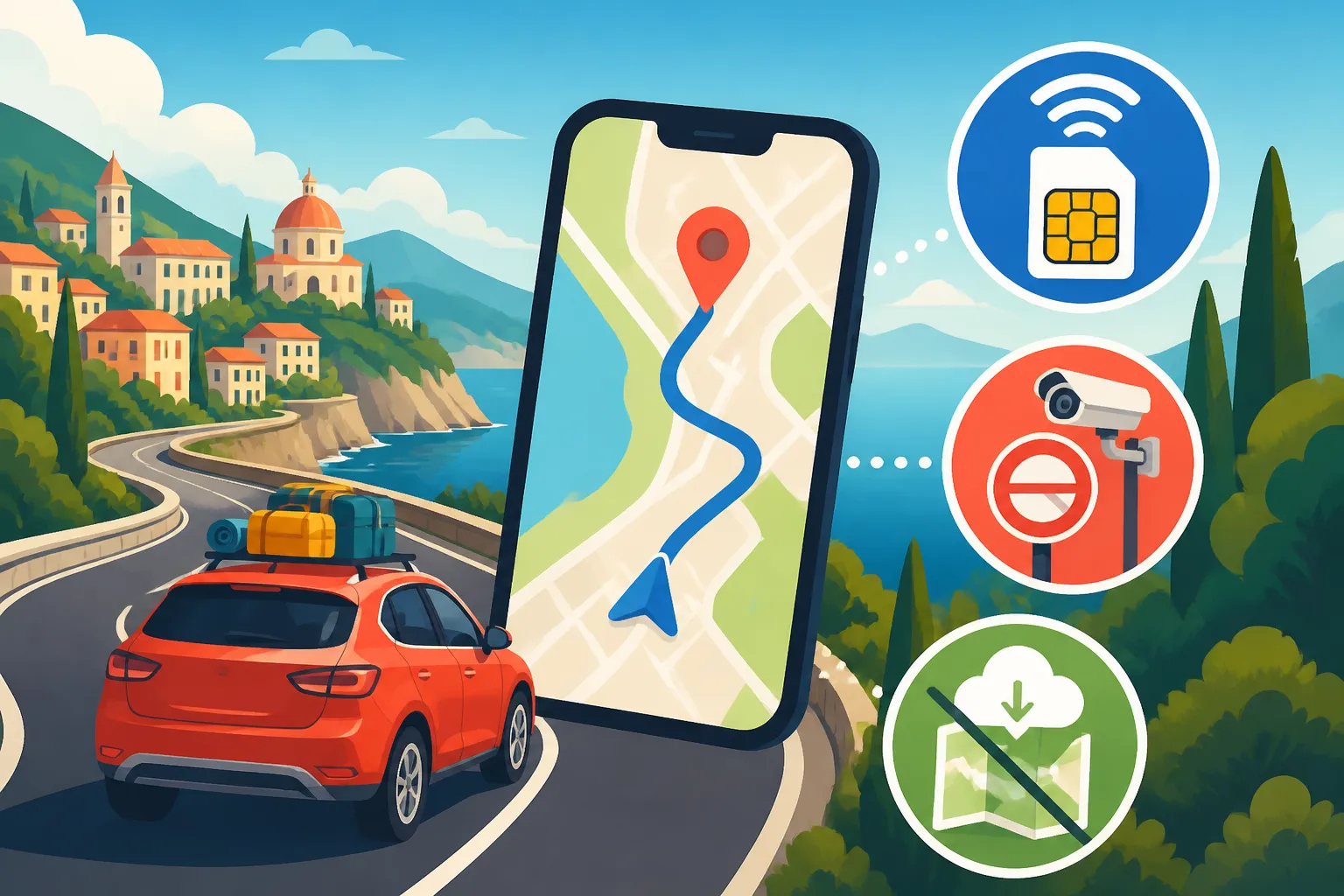
You pick up a rental car at Florence Peretola, your US carrier’s roaming plan crawls, and the navigation app freezes on the ring road. Ten minutes later you pass a camera into a restricted traffic zone without knowing it. This guide covers how to set up reliable mobile data for an Italian road trip, how to use it for ZTL awareness, and how to build an offline backup for when the signal disappears.
Disclosure: This post may contain affiliate links. We may earn a commission at no extra cost to you if you make a purchase through these links. Read full disclosure.
Why Connectivity Makes or Breaks an Italian Road Trip
Navigation in Italy Works Differently From Back Home
The first time I drove out of Bologna toward the Apennines, I assumed my phone would behave the way it did on American interstates. It did not. Italian roads change character every few kilometres. You leave a four-lane tangenziale, pass through a roundabout with six exits, then find yourself on a provincial road that narrows into a single lane between stone walls. Tourist-friendly road signage exists, but it often points to towns rather than road numbers. If you do not already know that the town you want sits beyond three others you have never heard of, the signs are close to useless.
Live navigation fills that gap, and it needs data to do it well. Live traffic matters on the Autostrada del Sole between Florence and Rome, where a single accident can back up traffic for an hour, and a rerouting app will send you onto the old Via Cassia instead. Live data also matters for petrol stations. Many rural stations in Tuscany, Umbria, and the south switch to self-service-only machines at lunch and overnight, and some of those machines refuse foreign cards. Being able to search, in the moment, for a staffed station that is open saves a lot of stress.
Then there are the small things that eat data without you noticing. Searching for a trattoria that is actually open on a Monday. Checking whether the agriturismo’s gate code arrived in your email. Looking up the opening hours of a winery before you drive forty minutes up a gravel strada bianca. A road trip in Italy is a constant stream of small lookups, and every one of them fails if your connection is unreliable.
The ZTL Problem That Catches Drivers Out
The Zona a Traffico Limitato is the single biggest financial risk for visitors driving in Italy. Almost every historic centre, from Florence and Siena to Pisa, Bologna, Rome, and countless small hill towns, restricts car access to residents and permit holders. Entry points, called varchi, are watched by cameras that read your number plate. There is no barrier and nobody stops you. You simply receive a fine weeks or months later, forwarded through your rental company, which typically adds its own administrative charge for passing your details to the police.
What makes ZTLs so painful is that they do not announce themselves loudly. The sign is a white circle with a red border, usually with a panel underneath listing the hours the restriction applies, and often an electronic display reading “varco attivo” when the camera is enforcing and “varco non attivo” when it is not. Arrive tired, in a rental car, while your passenger reads out turns and your navigation app chooses the shortest route straight through the old town, and you can trigger several cameras in a single afternoon. Each crossing can count as a separate violation.
A good data connection does not make you immune to ZTL fines, but it gives you tools that help. It lets your navigation app use live routing settings, lets you check a town’s ZTL map on the municipal website before you arrive, and lets you message your hotel to ask whether they can register your plate. For the full rules, see What Is a ZTL in Italy and How to Avoid Fines, and for the rental-desk side of things, Renting a Car in Italy: ZTLs, Insurance, and Driving Tips walks through insurance and pickup.
Why Airalo Suits the Road Trip Traveller
I have tried every connectivity option on Italian roads: expensive home-carrier roaming, buying a local prepaid SIM at a phone shop in a shopping centre outside Naples, and relying on hotel Wi-Fi plus offline maps alone. For a road trip specifically, Airalo is the option I now recommend to friends, and the reasons are practical rather than abstract.
First, you install it before you leave home. That matters on a road trip more than on a city break, because you are often collecting a car at the airport and driving straight out. There is no time to find a TIM or Vodafone store, queue, hand over your passport, and wait while a contract is printed. With Airalo, your phone connects to an Italian network as soon as you land, and your navigation app is ready before you reach the rental desk.
Second, it is a data-only eSIM that sits alongside your existing SIM. Your home number stays in the phone for bank verification texts, while all your data runs through the eSIM. Third, top-ups happen inside the app, so if you burn through your allowance halfway through Puglia, you add more from a petrol station forecourt rather than hunting for a shop. Plan sizes, validity periods, and prices change, so check the Airalo app or website for current options before you buy.
Setting Up Airalo Before You Drive Off
Installing the eSIM Step by Step
Do this at home, on stable Wi-Fi, a few days before departure. Rushing the installation in an airport arrivals hall is how people end up with a half-configured profile and no data.
- Confirm your phone supports eSIM and is carrier-unlocked. A phone locked to your home carrier will reject another eSIM profile, and this is the most common reason installation fails.
- Download the Airalo app and create an account.
- Search for Italy, or for a Europe regional option if your route crosses borders, and read the plan details, including data allowance, validity, and whether hotspot use is supported.
- Purchase the plan and follow the in-app installation prompts. On most phones, this is a direct install button; alternatively, you can scan a QR code from a second screen.
- Label the new line clearly in your phone settings, for example “Italy Data”, and label your home SIM “Home”.
- Leave the eSIM line switched off for data until you arrive, unless the plan page says validity starts at installation rather than at first connection. Check that detail on the plan itself.
- On landing, set the eSIM as your mobile data line, turn on data roaming for that eSIM line only, and turn off data roaming on your home line so it cannot run up charges in the background.
- Open your navigation app and confirm it loads live traffic before you leave the airport car park.
If anything goes wrong during setup, Installing an eSIM Before You Fly to Italy: Step by Step and Common Errors covers the usual error messages and fixes.
Choosing Data Volume for a Driving Holiday
Road trips use data differently from city stays. Navigation itself is surprisingly light, because the map tiles are small and the route updates are compact. What drives usage up is everything around navigation: streaming music for hours on the A1, passengers scrolling social media, uploading photos of every cypress-lined hill, and video calls home from the agriturismo terrace.
A realistic approach is to think in driving days. A couple doing long transfer days, with streamed music and two phones sharing one connection, will use far more than a solo driver who downloads playlists in advance and saves photo backups for hotel Wi-Fi. Families with children watching videos in the back seat sit at the very top of the range. Rather than guessing, see Sizing Your Italy Data Plan: GB Estimates by Trip Length and Usage, which breaks usage down by trip length and habits.
My own rule after many years of driving here is simple. Buy a plan comfortably above your estimate, download your music and podcasts before departure, and set your photo app to upload only on Wi-Fi. If you still run low, top up in the Airalo app rather than rationing navigation, because the moment you turn off live maps to save data is usually the moment you miss a ZTL sign.
Sharing the Connection With Passengers
On a road trip, the driver’s phone is often the only one with a solid data plan, and everyone else wants to use it. Personal hotspot works well in a car, since all devices are within a metre or two, but there are two things to check.
The first is whether your specific eSIM plan permits tethering. Many do, but terms differ by plan, so read the plan page before you buy. Tethering and Hotspot Limits on eSIM Plans in Italy explains what to look for. The second is battery and heat. A phone running navigation, hotspot, and screen brightness at maximum in a hot car in August will drain fast and can overheat on a windscreen mount. Use a proper car charger rather than the slow USB socket that many rental cars hide in the centre console, and keep the phone out of direct sunlight where you can.
If several adults are travelling, it is often cleaner for each person to install their own eSIM rather than tethering everything from the driver. That way the navigator’s phone can act as a second navigation screen, the driver’s phone is not overloaded, and a passenger can search for parking or check a ZTL map without interrupting the route on the main screen.
How the Main Connectivity Options Compare
| Option | Ready on landing | Keeps home number active | Top-up method | Main drawback on a road trip |
|---|---|---|---|---|
| Airalo eSIM | Yes, if installed before departure | Yes, home SIM stays in the phone | In the app, anywhere with signal | Data only, no Italian phone number |
| Home carrier roaming | Yes | Yes | Through your home carrier | Cost and speed depend heavily on your carrier and country |
| Italian prepaid SIM from a shop | No, needs a store visit and ID | Only if your phone has dual SIM | Shop, app, or tabaccheria | Time lost on arrival, physical SIM swap |
| Offline maps only | Yes | Yes | Not applicable | No live traffic, no search, no messaging |
If you are deciding between an eSIM and a local SIM for a longer stay, Airalo vs a Local Italian SIM: When Buying on Arrival Actually Wins covers the situations where a shop SIM makes sense.
Using Live Data for ZTL Awareness and Smarter Navigation
Configuring Your Navigation App Before Each Day
Navigation apps handle ZTLs inconsistently. Some show restricted zones on the map in certain cities, some offer warnings for limited traffic areas, and some ignore them entirely and route you straight through the historic centre because it is the shortest line. None should be treated as a guarantee. What you can do is set the app up so it is less likely to lead you into trouble.
- Each morning, enter your destination while still on hotel Wi-Fi or with your eSIM connected, and look at the full route before setting off.
- Zoom into the final kilometre. If the route enters a walled old town, change the destination to a named car park outside the walls instead of the hotel address.
- In your app’s settings, enable any options for avoiding restricted or limited-access areas, and turn on speed camera and traffic alerts where the app supports them.
- Save the car parks you plan to use as favourites, so you can tap them rather than retyping on the road.
- Use live traffic during the drive, and accept reroutes on autostrade, but be cautious with reroutes that suddenly send you toward a town centre.
The key habit is destination discipline. Navigating to your hotel’s street address inside Siena’s walls is how people end up at a camera gate. Navigating to a large public car park just outside the walls, then walking or taking the town’s escalators and shuttle buses into the centre, is how locals and experienced visitors avoid fines entirely.
Checking ZTL Maps and Hours on the Go
This is where having reliable data on the road really pays for itself. Every comune publishes its own ZTL information, usually on the municipal website or the local police page, with a map of the zone, the list of camera gates, and the hours of enforcement. Hours vary widely. Some zones are active around the clock, some only during the day, and some extend into evening hours during summer when centres become pedestrian nightlife areas.
Picture this. You are driving from Lucca toward Pisa in the late afternoon and decide on a whim to stop for dinner in the centre. With a working eSIM, your passenger searches the comune’s ZTL page, checks whether the zone is active at that hour, and finds the nearest car park outside the zone, all before you reach the outskirts. Without data, you are guessing based on road signs read at speed, in Italian, while also watching for scooters.
A few practical points help here. Search in Italian using the town name plus “ZTL orari” and “mappa varchi” for the most accurate municipal pages. Use your phone’s translation tool to read the page if your Italian is limited. And remember that the electronic “varco attivo” sign at the gate is the final word; if it says active, do not cross, even if a website or app suggested otherwise.
Hotel Access and Plate Registration
Many visitors book a hotel inside a historic centre and assume the hotel’s location gives them the right to drive in. In many cities, it can, but only if the hotel registers your number plate with the local police within a set window around your arrival. The process, timing, and conditions are set by each comune and change from city to city, so the only reliable source is the hotel itself.
Message the hotel while you are on the road, ideally the day before you arrive, with your arrival time and plate number. Having data means you can send a photo of the rental agreement showing the plate the moment you collect the car, rather than waiting until you are already at the gate. Ask clearly whether they register plates for ZTL access, which exact route you should take to reach them, and whether you must leave by a certain time. Some hotels only cover a direct drive in to unload luggage and back out to a car park.
Parking near central hotels comes with its own surprises, and the listing often hides them. Parking at Italian Hotels: ZTL Zones and Why ‘Parking Available’ Costs Extra explains what “parking available” usually means in practice, and it is worth reading before you book a hotel inside city walls.
Matching Your Setup to Your Route
Not every Italian road trip has the same connectivity needs. A Tuscan loop between Florence, Siena, Montepulciano, and Lucca passes through dozens of ZTL towns but generally has decent coverage on main roads. A loop through the Dolomites has fewer ZTLs and more signal gaps. Sicily and the deep south combine both challenges: busy historic centres in Palermo and Catania, plus long inland stretches with patchy reception.
| Route type | Main ZTL exposure | Coverage expectation | Connectivity priority |
|---|---|---|---|
| Tuscany and Umbria hill towns | Very high, nearly every walled town | Generally good on main roads, gaps in valleys and on strade bianche | Live ZTL checks and car park searches |
| Northern lakes and cities | High in Milan, Como, Verona, Bergamo old town | Good around towns, weaker on some lakeside tunnels | Live traffic plus parking searches |
| Dolomites and Alpine passes | Low | Patchy on passes and in high valleys | Offline maps essential |
| Puglia, Basilicata, Calabria | Moderate in larger towns and old centres | Good on coast, thinner inland | Mix of live data and offline backup |
| Sicily and Sardinia | High in major city centres | Good near cities, gaps in the interior | Offline maps plus careful city entry plans |
For route planning ideas, How to Plan a Road Trip Through Tuscany and Umbria and How to Plan a Sicily Road Trip Itinerary both suggest bases and driving days that fit this kind of setup.
Offline Backup for When the Signal Drops
Downloading Offline Maps the Right Way
No eSIM on earth can connect to a mast that is not there. The Apennines, the Alpine passes, the interior of Sardinia, and the long empty roads of Basilicata all have stretches where your phone shows no service at all. Tunnels on the Ligurian coast, of which there are hundreds, cut signal repeatedly. Offline maps are not an optional extra on an Italian road trip; they are the second half of the plan.
- Before departure, at home on Wi-Fi, open your main navigation app and download offline areas covering your entire route, not just your destinations. Include the roads between them.
- Download generously. A region-sized area is better than a series of small town-sized squares that leave gaps along the roads in between.
- Install a second, dedicated offline map app as backup. Apps built around downloadable country or region maps, such as Organic Maps or HERE WeGo, let you download all of Italy, or individual regions, and navigate turn by turn with no connection at all.
- Check storage space. Full regional maps take up real room, so clear old videos or apps if needed.
- Test offline mode at home. Put the phone into airplane mode, open each app, and plan a route between two towns on your itinerary. If the route works, your download worked.
- Refresh downloads during the trip. Some apps let offline areas expire or go stale unless updated, so update them on hotel Wi-Fi every few days.
- Save key points offline: every hotel, every car park you plan to use, the rental return location, and a few hospitals and petrol stations along the route.
Understand the limits. Offline navigation gives you turn-by-turn directions and a map, but no live traffic, no rerouting around accidents, no up-to-date business opening hours, and usually no ZTL information. This is a safety net, not a replacement for live data. The best road trip setup uses Airalo for live data whenever there is signal, and offline maps the instant there is not.
Knowing Where Coverage Gets Thin
Italian mobile coverage is strong in cities and along the main autostrade, but it thins out in predictable places. Mountain passes and high valleys are the obvious ones. So are deep river gorges, the forested interior of Calabria’s Sila and Aspromonte, long stretches of Sardinian interior roads, and some of the white gravel roads that wind between Tuscan wine estates. Agriturismi tucked into valleys can be surprisingly poorly served, which is why many advertise Wi-Fi as a selling point.
Your eSIM connects to Italian host networks, and the networks a given plan can use determine what coverage you get in marginal areas. Check the network information on the plan page before you buy. In fringe areas, it can help to switch from automatic network selection to manual and see whether another partner network is available, if your plan supports more than one.
For region-specific realities, Coverage in Rural Italy: eSIM Networks in Puglia, Basilicata, and Calabria and Data Coverage in the Dolomites and Italian Alps: Mountain Signal Reality go into detail about where signal disappears and how to plan around it.
A good habit in any marginal area is to load your next leg of the route while you still have signal. If you stop for coffee in a village with decent reception before heading up into the hills, re-enter the destination and let the app cache the full route. Most navigation apps keep a loaded route in memory even if the signal drops mid-journey, as long as you do not close the app.
Building a No-Signal Safety Plan
Offline maps cover navigation, but a proper backup plan covers the other things a dead signal takes away. Think about what happens if your car breaks down on a mountain road with no service, or if your phone dies entirely.
- Save the rental company’s roadside assistance number and your rental agreement number in your phone’s contacts and on paper in the glovebox.
- Know that 112 is the European emergency number in Italy. Emergency calls can connect through any available network, even one your plan does not normally use, so try 112 even when your phone shows limited service.
- Carry a printed or handwritten list of each night’s accommodation, with address and phone number.
- Keep a road atlas or paper regional map in the car for mountain and rural legs. It sounds old-fashioned until your phone overheats on a hot dashboard.
- Keep a fully charged power bank in the car, separate from the car charger.
- Tell someone, at your accommodation or at home, which route you are driving on remote days and roughly when you expect to arrive.
- Fill up when you can on rural legs, rather than waiting until the warning light comes on in an area where the nearest station may be closed or unreachable without data to find it.
If you cannot speak Italian and something goes wrong on the road, it helps to have downloaded an offline language pack in your translation app. That lets you translate a conversation with a farmer, a mechanic, or a police officer even with no connection.
A Sample Day Combining Live Data and Offline Backup
Here is how this works in practice, on a typical day driving from Florence into the Val d’Orcia.
You leave your Florence apartment on foot, collect the car from a rental office outside the ZTL, and connect to your eSIM. Navigation routes you onto the Siena-Florence highway with live traffic, and you skirt Siena entirely, using live data to check where there is a car park outside the walls if you want to stop for lunch. You stop, walk in, eat, and walk back out. Not a single camera crossed.
Heading south toward Pienza and Montalcino, signal starts dropping in the valleys. Your offline maps, downloaded at home and refreshed the night before, keep the route visible. On a gravel road to a winery, the main app shows no connection, but your saved offline point leads you straight to the gate. On the way out, you pass back into coverage near a village, your passenger checks the ZTL hours for Montepulciano where you are staying, and you message the hotel with your plate number. They confirm which car park to use.
That is the full system working. Live data where it helps most, in towns and around ZTLs. Offline backup where the network cannot reach. Paper and phone numbers for the rare moment both fail.
Getting Your Setup Ready Before You Fly
If you take one thing from this guide, let it be this: sort your connectivity at home, not at the rental desk. Install Airalo a few days before departure, choose a plan with headroom for long driving days, and confirm whether hotspot sharing is included if passengers will rely on you. Download offline maps for your whole route in two different apps, test them in airplane mode, and save every hotel and car park as an offline point. Write down the emergency numbers and rental assistance details.
Then, on the road, use the live connection actively. Check ZTL maps before you arrive in each town, navigate to car parks rather than hotel addresses, and message hotels about plate registration in advance. When the hills swallow your signal, switch to offline maps without panic. Before you book your car, it is also worth checking Do You Need an International Driving Permit to Drive in Italy? so the paperwork side is just as ready as your phone.
Open the Airalo app tonight, check the current Italy and Europe options, and get your eSIM installed before you pack. The drive is far more relaxing when you know your phone will work from the moment the wheels touch the runway.
Disclaimer
This article is for general informational purposes only and does not constitute professional advice. Laws, prices and regulations vary by location and change over time. Consult a qualified professional for guidance on your specific situation.